

• Contact Us
  • 01609 536 086
Nyes Digital Logo

Home

IT Services

3

Sales

3

Web Design

3

School MIS

3

Training

3
Nyes Digital Logo
a

Training

  • 5
    MIS Training
  • 5
    Cyber Security Training
  • 5
    Microsoft Conversion

Need Training?

Services

  • 5
    Broadband Services
  • 5
    Cyber Security
  • 5
    Google Services
  • 5
    IT Helpdesk
  • 5
    IT Hardware Repair
  • 5
    Microsoft Services
  • 5
    Mobile Phones and VOIP
  • 5
    Onsite IT Technician
  • 5
    Sales and Installation
  • 5
    WEEE

Our Vast Range of Microsoft Services

Services

  • 5
    Broadband Services
  • 5
    Google Services
  • 5
    Microsoft Services
  • 5
    Sales and Installation
  • 5
    Mobile Phones and VOIP

IT

  • 5
    Helpdesk
  • 5
    Hardware Repair
  • 5
    Cyber Security
  • 5
    Onsite Technician
  • 5
    WEEE

Have a question?

MIS Services

  • 5
    Arbor
  • 5
    Bromcom
  • 5
    ESS Sims
  • 5
    Compass

MIS Training

  • 5
    Book Training 

MIS Framework

  • 5
    MIS Supplier Framework

Which MIS Systems do you support?

Services

  • 5
    Websites
  • 5
    Hosting & DNS
  • 5
    Domain Registration
  • 5
    SSL Certification
  • 5
    Brand Design

Information

  • 5
    Meet the team
  • 5
    Portfolio

What packages do you do?

Sales Categories

  • Sales Home
  • 5
    Accessories
  • 5
    Audio Visual
  • 5
    Computing
  • 5
    Networking
  • 5
    Printers
  • 5
    Software
  • 5
    iPads and Accessories

Need help deciding?

Russell Dodson Testimonial

by Cirrus SICT | Jan 4, 2023 | Latest News

Russell Dodson Testimonial

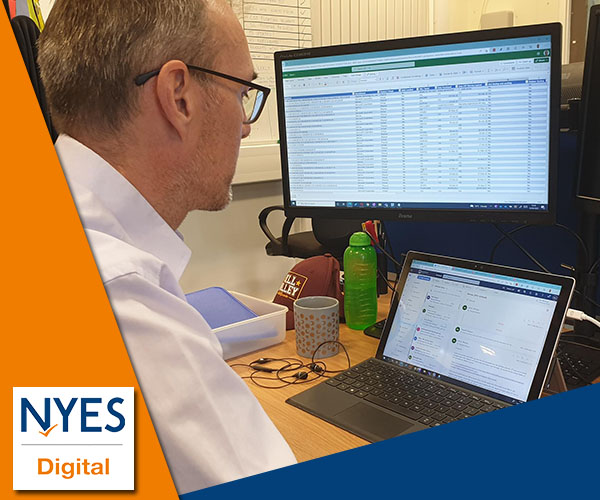
I have now been working 25 years for Education ICT Services. / Schools ICT / NYES Digital.


When I joined in 1997 we were a team of about 12. If you knew and understood the following you could probably fix 95% of IT problems in any North Yorkshire school:

  • Novel Netware 3.x (install, setup IPX/SPX networking, configure user accounts and file and folder permissions)
  • Windows 3.1 / 95 (install, configure a network connection, edit registry in extreme cases)
  • Peer to peer networking  (Windows and NetBEUI)
  • Tape Backup (Arcserve)
  • BNC networking with Co-axial cables
  • Office 95/97 - install from floppy disk (or maybe a CD if you were lucky)
  • Script - install, configure
  • Key Solutions - install, configure
  • Get a printer to work properly (still virtually impossible)


And that was it. That was pretty much everything you needed to know. And it was only for school office / admin computers. No curriculum computers to worry about.

If you were really advanced you might consider installing a modem and connecting to the internet.


Since then, so much has changed, and at an ever-increasing rate so it seems. Now we are a team of closer to 50 and I wouldn't like to even start to make a list of what we have to know about and understand to support a school and their use of IT. And that's not even counting commercial customers that we also now support. It certainly wouldn't fit on the 15 or so index cards I used to carry around with me listing everything I needed to know to install a new admin PC in a school.
You might also be interested in

Sending Bulk Emails, SMS, and Letters

Deliver crisp, timely bulk notices directly to selected cohorts or targeted parent segments. NAVIGATION PATHWAYSchool > Communication > Communications > New Mailmerge Select Distribution Channels: Choose your desired medium—Email, SMS Text, or...

How to Run a Census “Dry Run”

Minimize stress on official data submission deadlines by diagnosing information gaps ahead of time. NAVIGATION PATHWAYSchool > Data > Census > Select Census Term Generate a Dry Run: Open the relevant census item (e.g., Autumn Census) and click the primary...

Finding and Fixing Duplicate Profiles

Maintain a clean, unified system directory by locating and merging accidental duplicate profiles. NAVIGATION PATHWAYSchool > Data > Data Quality Dashboard > Suspected Duplicates Run Duplicate Check: Open the dashboard to allow Arbor to auto-scan names, birth...